
Chapter 5 · 5.4
CNAME records and the trailing dot
A CNAME record points one name to another name. Services such as webshop platforms, newsletter services and Microsoft 365 often ask for one. For example: pointing shop.yourdomain.com to shops.exampleplatform.com.
Adding a CNAME record
- Open DNS Administration and click ADD RECORD.
- Under Record Type, choose CNAME.
- Under Name, enter only the first part, such as shop or autodiscover.
- Under Value, your own domain name is already filled in with a dot. Remove that and enter the target name, with a dot at the end: shops.exampleplatform.com.
- Click ADD.
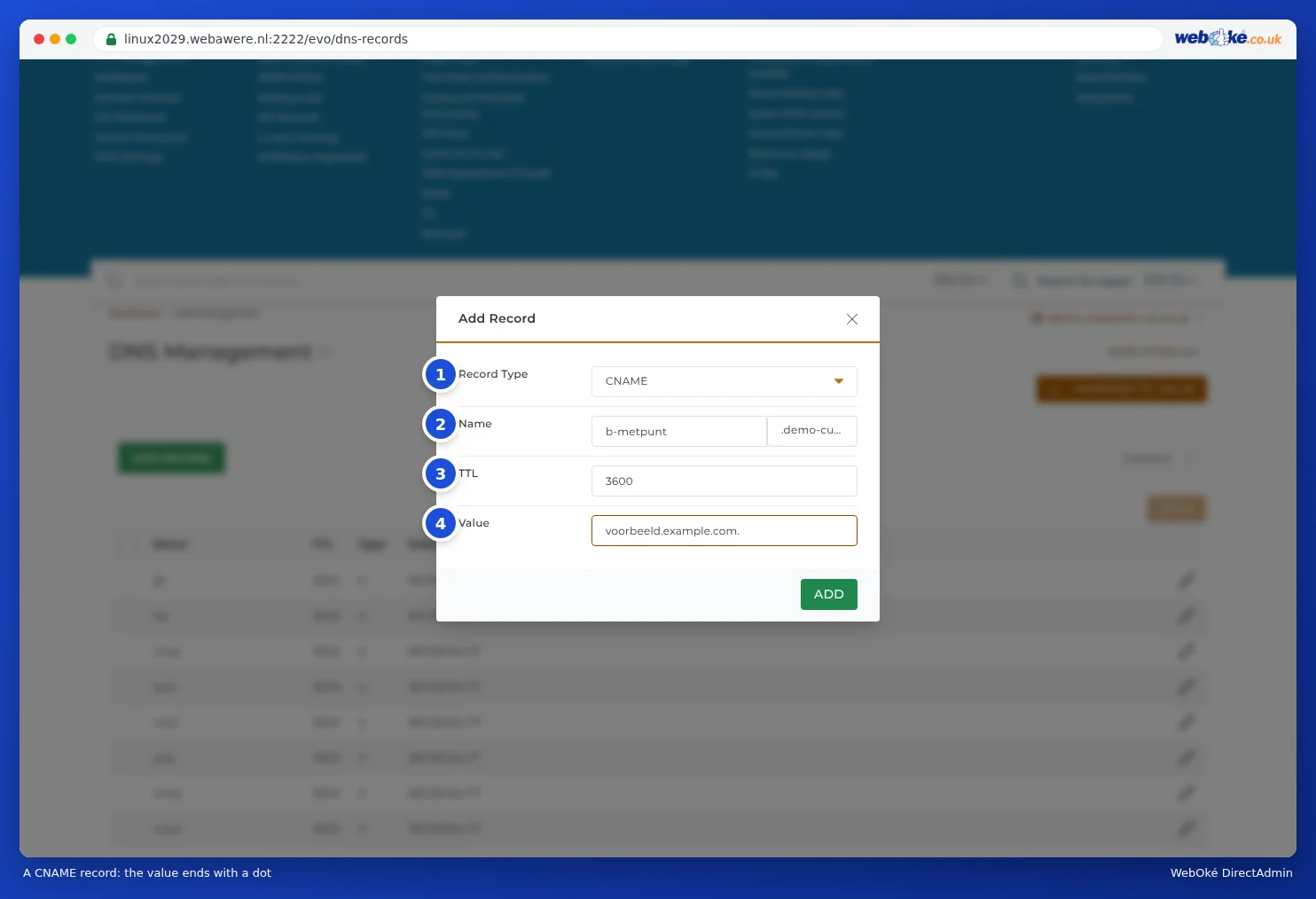
Why that dot?
Without a dot at the end, the DNS thinks the name isn't complete yet, and adds your own domain name to it. If you enter shops.exampleplatform.com without a dot, it actually becomes shops.exampleplatform.com.yourdomain.com. That name doesn't exist, so the connection won't work.
DirectAdmin shows you this too: after saving, a record without a dot will show your domain name added after the value.
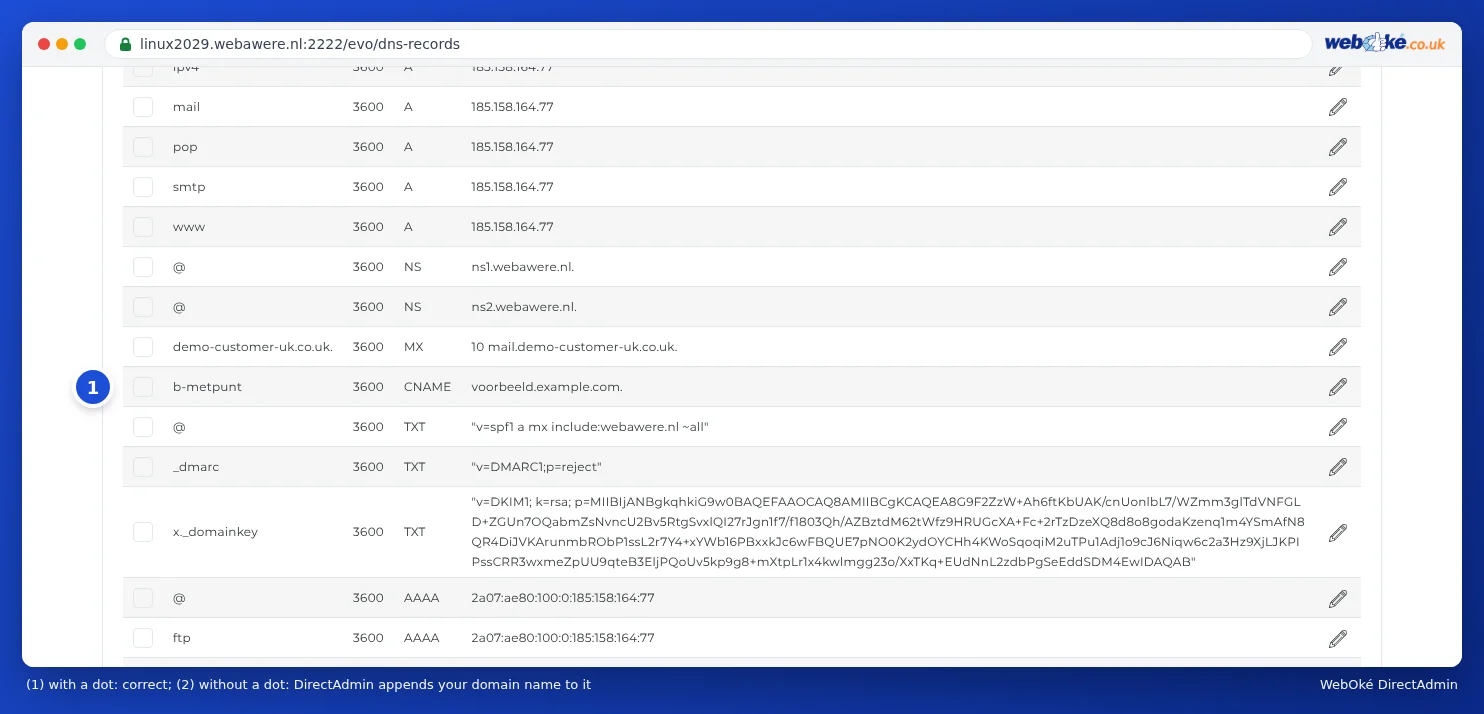
Do you see your own domain name added after the value of a CNAME record? Click the pencil icon, remove your domain name, add a dot at the end and save.
Tip: The same rule applies to the mail server in an MX record and to NS records. For an IP address in an A record, you don't add a dot.
What's not possible with a CNAME?
- No CNAME on the domain itself. For yourdomain.com (without anything before it), a CNAME can't exist, because the MX and NS records are also located there. You'll find what to do instead below.
- No CNAME alongside other records with the same name. If there's already an A record for shop, remove that first.
- No CNAME for a name that you also have as a subdomain in DirectAdmin. A subdomain in Subdomain Management points to your own package. If you want the name to point to another service instead, remove the subdomain and create only the CNAME record.
A service wants a CNAME on your domain itself
Some services only provide a hostname, even for yourdomain.com without www. That's not possible as a CNAME. You have three options:
- An A record with an IP address. Ask the service for an IP address for the domain itself. Almost all webshop and website platforms provide one. Enter that in the A record for @ and remove the AAAA record for @ if the service doesn't provide an IPv6 address.
- Use www and forward the domain itself. Set the CNAME record on www and forward yourdomain.com to www.yourdomain.com (see Site Redirects: forwarding a domain or page).
- ALIAS or CNAME flattening. Some DNS providers, such as Cloudflare, can make a CNAME on the domain itself work anyway: they look up the IP address and provide that as the answer. DirectAdmin and My WebOké can't do this. For that, you'll need to point the nameservers to that provider (see DNS in My WebOké and with external name servers such as Cloudflare).
Frequently asked questions
My newsletter service is asking for CNAME records for DKIM
Services such as Mailchimp, MailerLite and Brevo often ask for CNAME records with a name like k1._domainkey. Copy the name without your domain name added after it (that's already there), and the value with a dot at the end. More on this in Turning on and checking DKIM.
I want www to point to another service
Create a CNAME record with the name www. That record takes precedence over the wildcard record.